> For clean Markdown of any page, append .md to the page URL.
> For a complete documentation index, see https://docs.givechariot.com/v2026-04-01/guides/dafpay/integrating-dafpay/installation/llms.txt.
> For AI client integration (Claude Code, Cursor, etc.), connect to the MCP server at https://docs.givechariot.com/_mcp/server.
# Installing Connect
## Install JavaScript Package
Chariot Connect (DAFpay button) comes as a small JavaScript package.
It can be loaded directly from the Chariot CDN or installed via [NPM](https://www.npmjs.com/package/react-chariot-connect) or Yarn.
When loading from the CDN, it must always be loaded directly from [https://cdn.givechariot.com](https://cdn.givechariot.com), rather than included in a bundle or hosted yourself.
**`CDN`**
```html CDN
```
**`NPM`**
```shell NPM
npm install --save react-chariot-connect
```
**`Yarn`**
```shell Yarn
yarn add react-chariot-connect
```
## Add Chariot Connect
Chariot provides a simple-to-use web component that allows you to implement the Chariot Connect (DAFpay) button with a single line.
Add Chariot-Connect component where you want the DAFpay button to appear and make sure to add the Connect ID (CID).
> **Save Down Your CID**
>
> You only need to call the Create Connect route one time per nonprofit to generate the cid; Once generated, you can save it down in your system.
**`HTML`**
```html HTML
```
**`React`**
```javascript React
import React, { useState } from 'react';
import ChariotConnect from 'react-chariot-connect';
const App = () => {
return (
);
};
```
A nonprofit's `cid` (Connect ID) should be retrieved from your database after the nonprofit has been registered with Chariot.
> **Sandbox Credentials**
>
> Use the following credentials to log in to any DAF provider in the sandbox environment.
>
> ```
> username: good-user
> password: password123
> ```
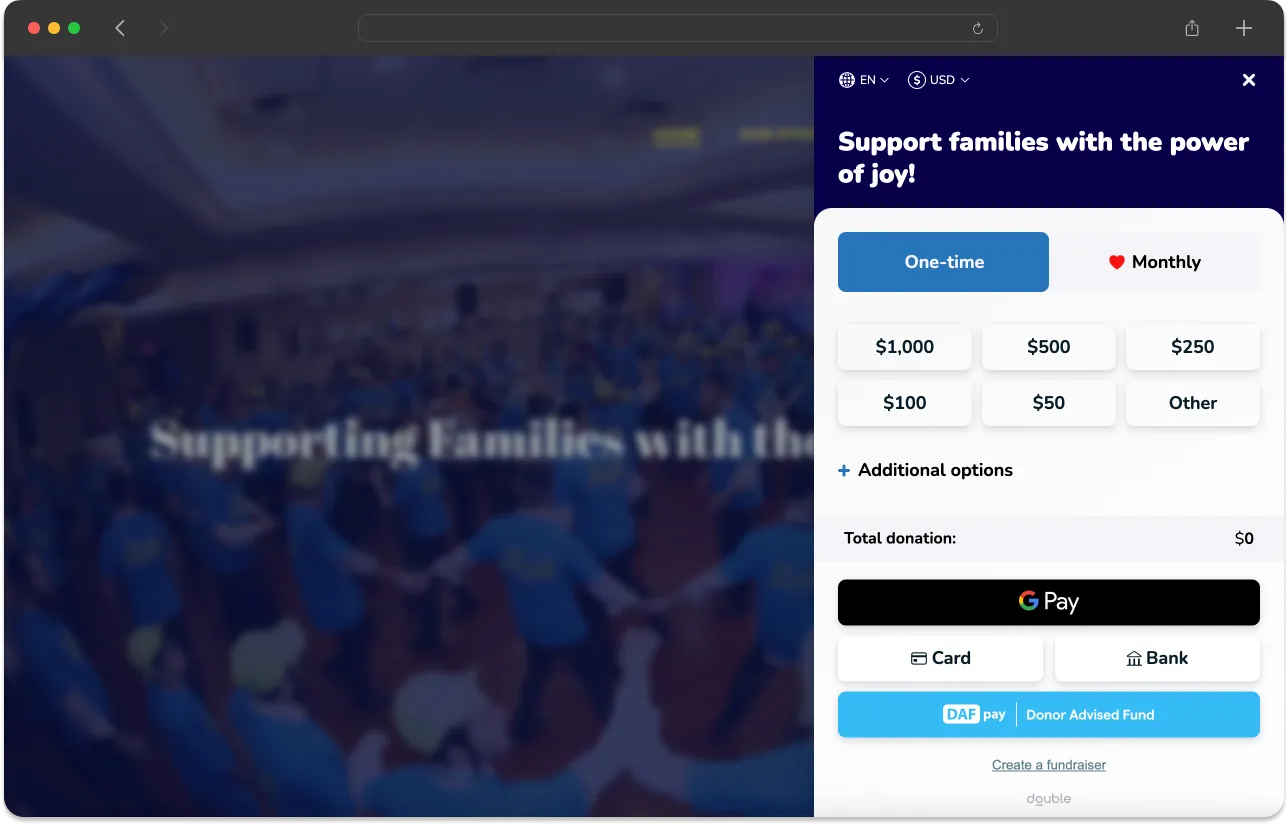
## Button Placement
Ensure that *DAFpay* is listed directly alongside primary payment methods (i.e., credit card, bank transfer, and Apple Pay)
## Button Themes (Optional)
Choose your theme by adding the theme name as a parameter to the `chariot-connect` component, as below.
**`HTML`**
```html HTML
>
```
**`React`**
```javascript React
...
/>
```
We provide the options below as default themes. If `theme` is not defined, `DefaultTheme` will be used.
**DefaultTheme**

**LightModeTheme**

**LightBlueTheme**

**GradientTheme**

**Custom Theme**
To create a custom theme for the DAFpay button, create an object with the desired properties that you wish to change.
Utilize [Tailwind CSS](https://tailwindcss.com/) styling in the definition of these properties.
> **Style Customizations Notice**
>
> Style customizations for DAFpay require that all available CSS be packaged within the `chariot-connect.umd.js` bundle.
> The problem is that for Chariot to allow any customizations, we would need to include the entire [tailwindcss](https://v1.tailwindcss.com/docs/controlling-file-size) package (\~2.4Mb uncompressed) which would degrade performance and load times to an unacceptable level.
>
> While performance is a concern, we also realize the need for a consistent and seamless user experience and are also committed to providing configurations for size, padding, border radius, etc. on top of the pre-built themes that we offer.
**`JavaScript`**
```javascript JavaScript
// get the element from the DOM
const chariot = document.getElementById("chariot")
// define your alterations using valid properties from the table below
const alterations = {
width: "w-12",
height: "h-8",
};
// register your new theme with a custom name
chariot.registerTheme("myTheme", alterations);
```
**`React`**
```javascript React
```
**Theme Properties**
| Parameter Name | Use | Allowed value |
| :----------------- | :--------------------------------------------------------------------------------------- | :---------------------------------------------------------------------------------------- |
| `width` | The width of the button | [width](https://tailwindcss.com/docs/width) up to `16` or `64px` |
| `height` | The height of the button | [height](https://tailwindcss.com/docs/height) at least `9` or `36px` up to `12` or `48px` |
| `showExtendedText` | Show an extended text (`Give with Donor Advised Fund`) version of the DAFpay button text | `true` or `false` (this value is `false` by default) |