

For AI agents: a documentation index is available at the root level at /llms.txt and /llms-full.txt. Append /llms.txt to any URL for a page-level index, or .md for the markdown version of any page.
Contact usLogin
GuidesAPI ReferenceChangelog
  • Getting Started
    • Navigating the Docs
  • DAFpay
    • Overview
    • FAQ
  • Disbursements
    • Overview
    • How It Works
    • Disbursement Lifecycle
    • Compliance
    • Sandbox
    • How Chariot Compares
    • FAQ
  • Gift Processing
    • Overview
    • How It Works
    • Getting Started
    • FAQ
LogoLogo
Contact usLogin
On this page
  • How it works
  • Try it out
DAFpay

Overview

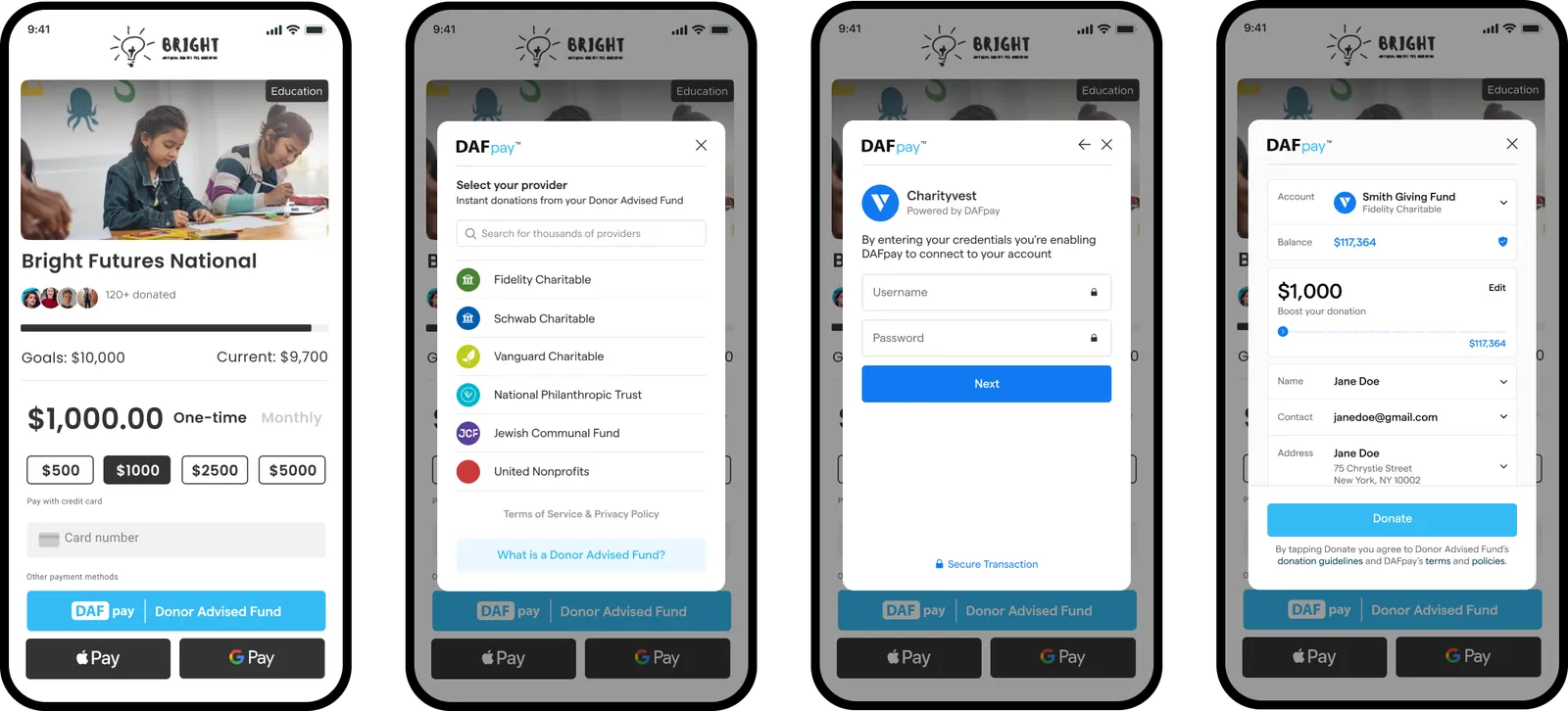
DAFpay is a payment option that enables donors to initiate donations using their Donor-Advised Fund (DAF) accounts.
Was this page helpful?
Previous

Implementation Checklist

A comprehensive guide for integrating with Chariot API endpoints
Next
Built with

How it works

DAFpay manages the entire grant submission process, including credential verification, multi-factor authentication, error management, and fee collection, for each Donor Advised Fund supported.

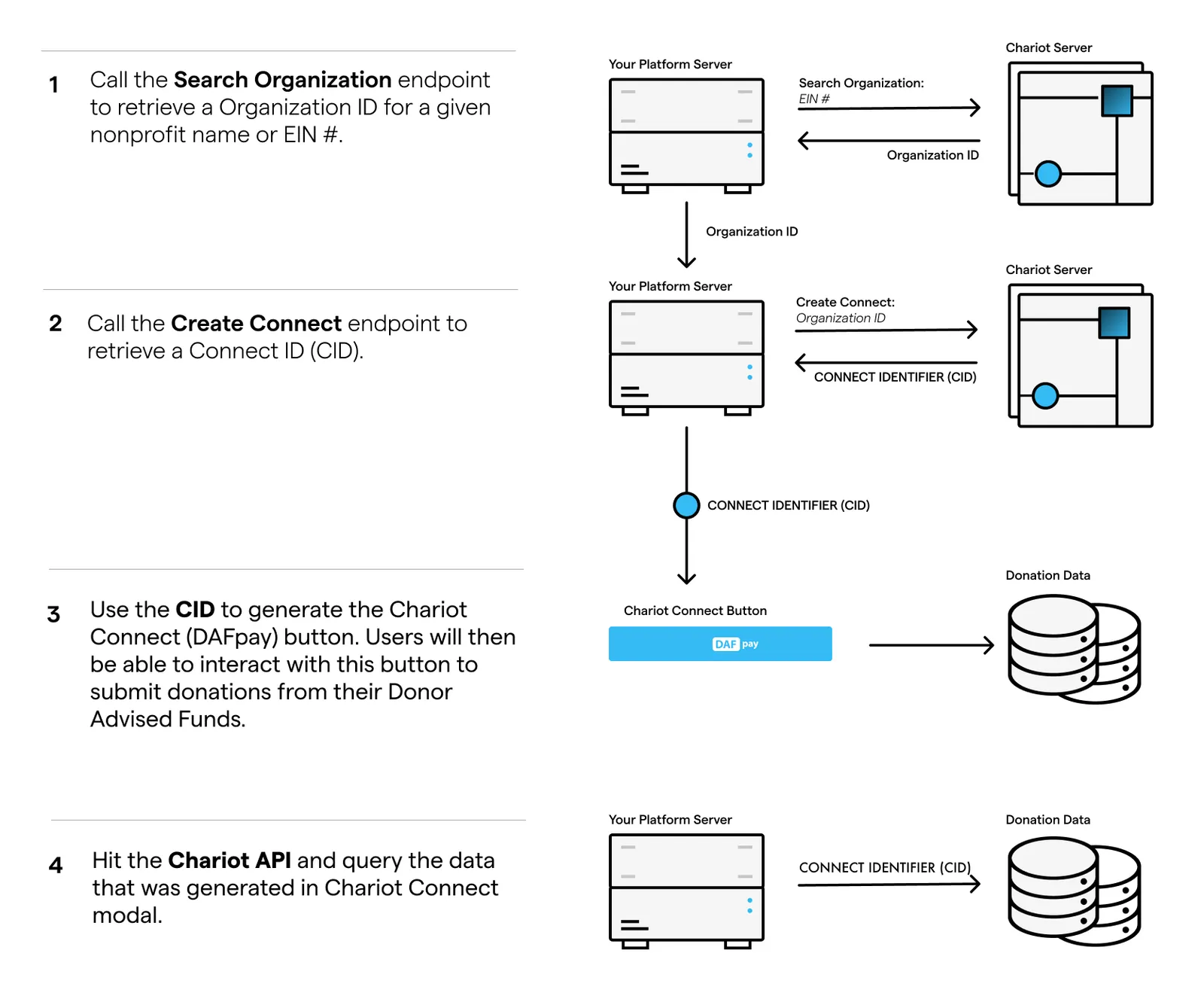
The initial step involves searching Chariot’s database for an organization and creating a Connect. Once created, you will receive a Connect ID (CID) that can be used to initialize Chariot Connect, the web component that renders the DAFpay button. Lastly, query Chariot’s APIs to gather all the data generated through Connect.
Try it out

Try out the DAFpay Demo for yourself and see what it might look like on your website after you’ve completed the integration.