

Creating Grants
Create the Grant
Once CHARIOT_SUCCESS fires, call Create Grant from your server to submit the gift. The call is made with your server-side credentials, never from the browser; see Authentication for keys and base URLs.
Server-Side Sequence
- Receive the workflow session ID and amount returned by DAFpay.
- Resolve the nonprofit and platform transaction from your stored session record.
- Save the platform transaction, and submit your own donation form first.
- Call Create Grant with the server-side API key.
- Store the Grant ID and response.
If your form fails after the Grant exists, the donor sees an error for a gift that was already submitted to their DAF provider, with no way to tell.
Complete this sequence within 15 minutes of authorization.
Loading screen: Show a loading state while your server calls Create Grant, and show final success only once the Grant exists. If the request is queued for retry, show a pending message until Grant creation is confirmed.
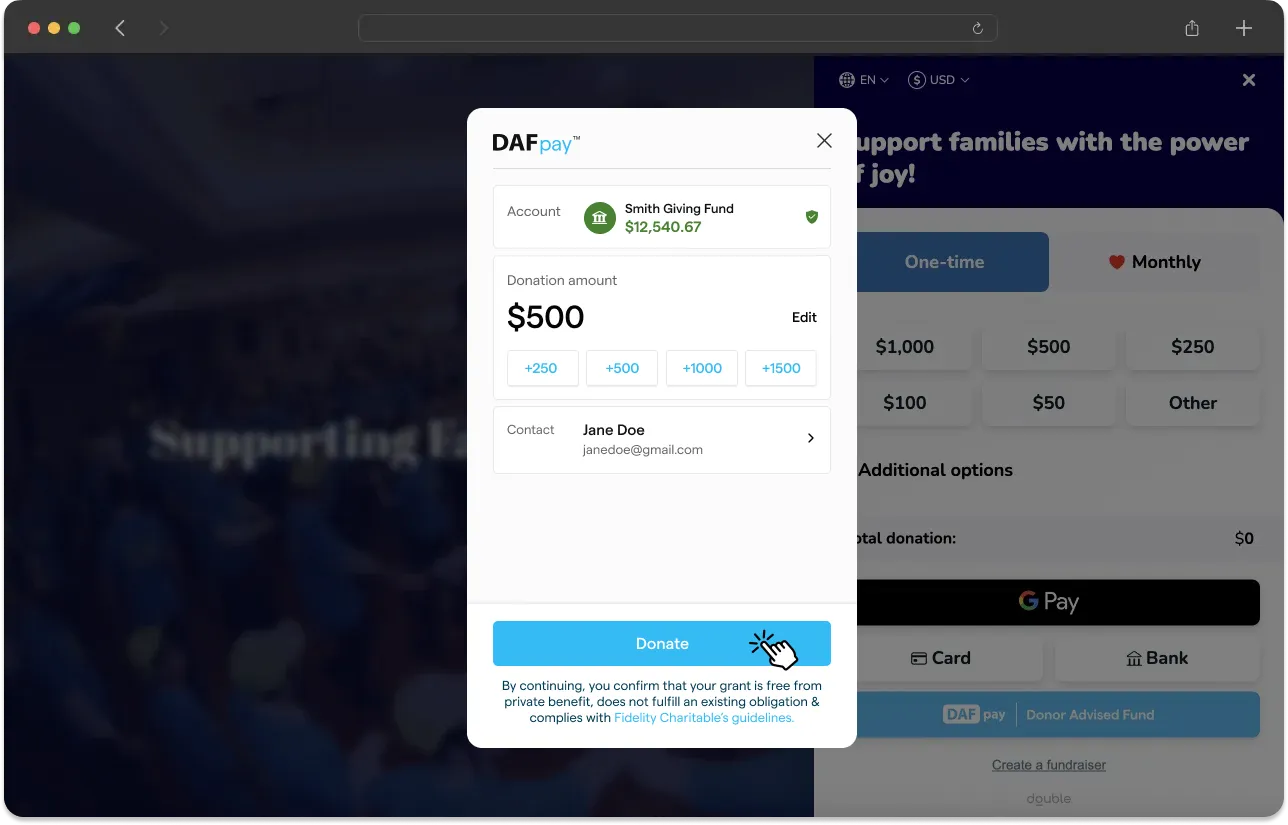
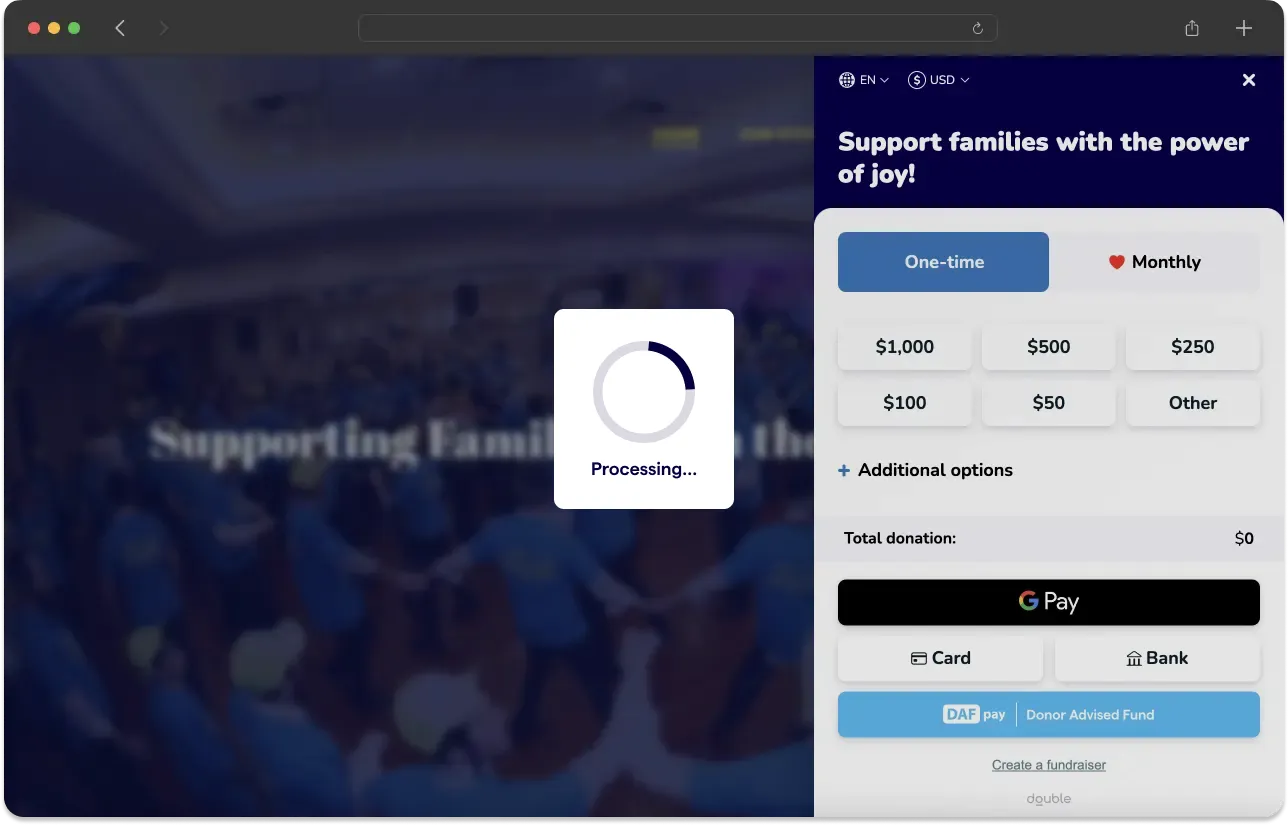
Success screen: A created Grant means the gift was successfully initiated, not that the funds were sent, so use language that says the Grant was submitted to their DAF provider. DAF donors are not eligible for tax receipts when recommending a Grant, so do not include receipt language in your success screen or confirmation emails.
Retry Safely
Create Grant and Create Recurring Grant are both idempotent for a workflow session. If the first request times out, call the same endpoint again with the same workflowSessionId.
A 201 means the Grant was created and a 200 means one already existed for that session. Both are success, so store the Grant and stop retrying. Keep retrying only on a 409, while submission is still in flight, and on a 502, remembering that each 502 retry submits the gift to the provider again.
Stop and change what the donor sees on the rest. A 410 means the authorization expired without a Grant, so the donor has to complete DAFpay again. A 404 means the provider does not recognize the nonprofit and a 412 means the nonprofit cannot receive DAF gifts, so offer another payment method. Keep the donor’s transaction pending until you know which of these happened, and never mark it complete on an error.
Create Grant lists every response it returns and what each one means.
A Server-Side Example
Retry with the same workflowSessionId. Starting a new session creates a new authorization and can result in a duplicate gift.
Amount Validation
Use the amount returned by CHARIOT_SUCCESS rather than the amount your form collected. A donor who selected $75 on your form can change it to $150 inside DAFpay, and the returned amount is the one they authorized.
The amount is in cents and must be a whole-dollar amount, divisible by 100. Create Grant rejects anything else, so validate it before you open DAFpay.
Do not set a universal minimum for DAFpay. Minimum Grant amounts vary by provider, and DAFpay prompts the donor to adjust an amount that is below the selected provider’s minimum or above their available balance.
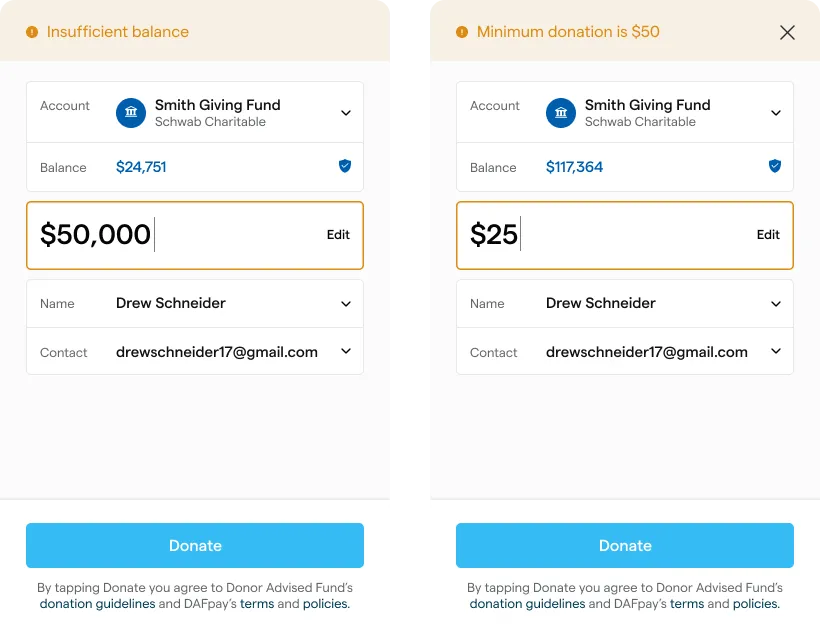
Create Grant may still return a validation error if the final amount cannot be submitted. Handle that error without marking the transaction complete.
Platform Fees
Use applicationFeeAmount only for the platform fee defined in your Chariot agreement. It is denominated in cents.
Create Grant validates applicationFeeAmount on its own against the Grant amount. The default ceiling is 210 basis points, and your Chariot agreement can raise it for your application. Chariot’s own fee is charged separately and is not part of this check.
A donor-covered fee increases the Grant amount. It is not a separate tip. Do not offer a tip to a for-profit platform in a DAF transaction.
Unintegrated Providers
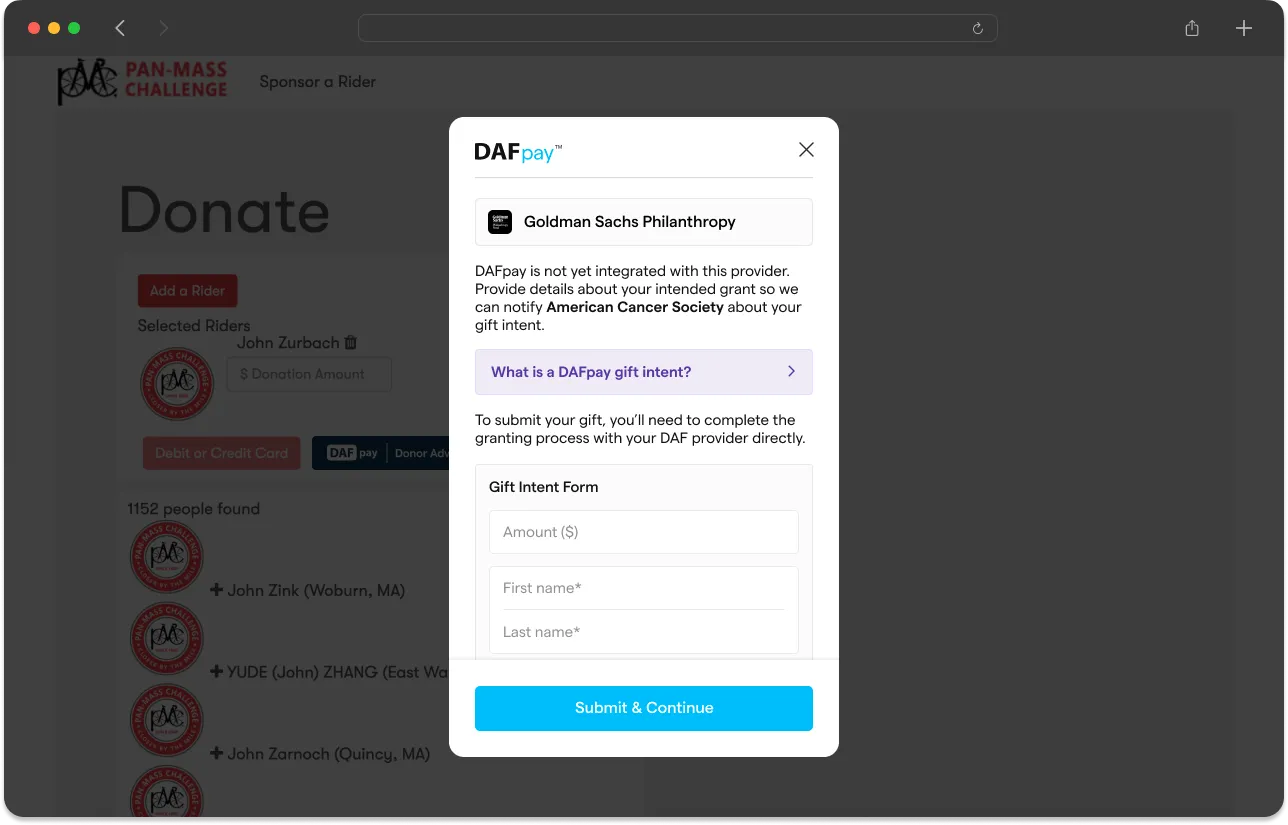
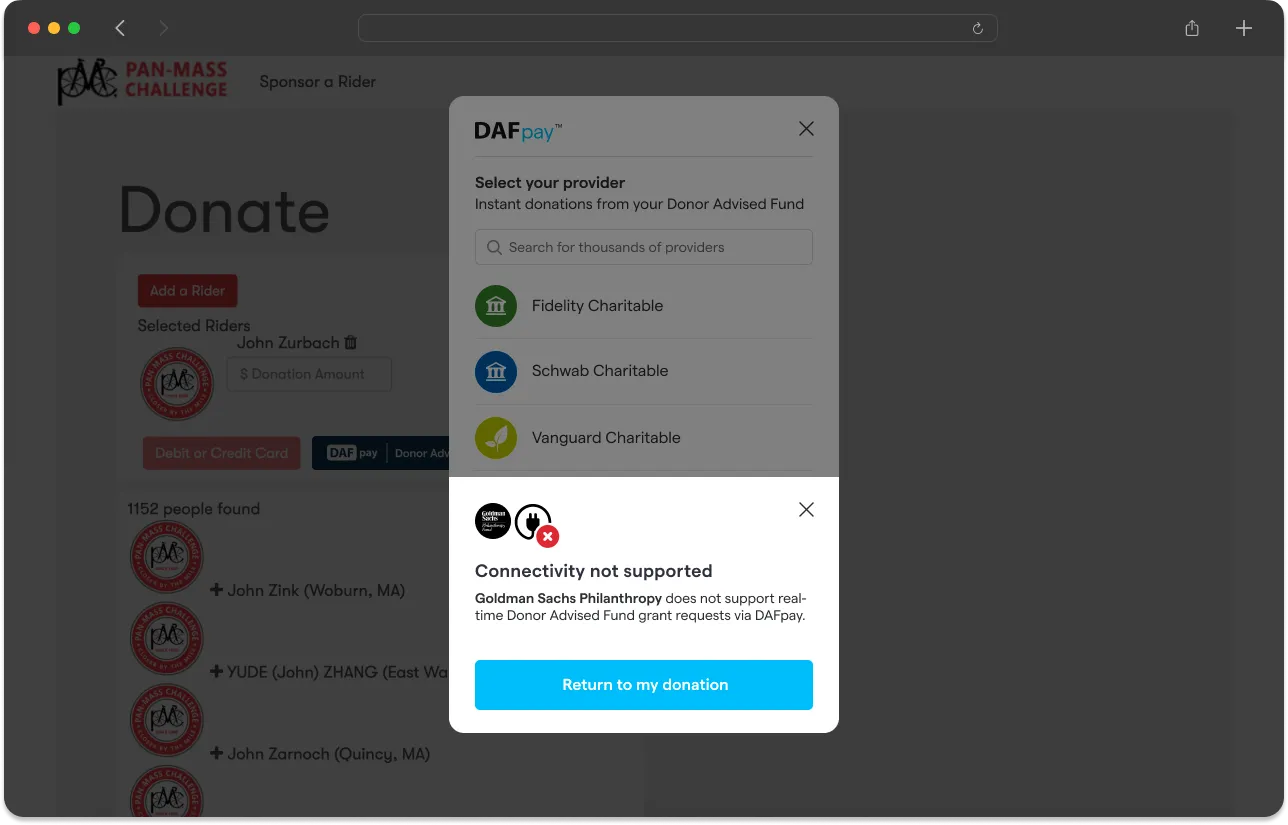
Some DAF providers cannot accept a Grant directly through DAFpay. Chariot sets one of two behaviors for your platform:
- Return the donor to your form to choose another payment method.
- Record the donor’s intent and help them complete the Grant in the provider’s portal.
How the Confirmation Arrives
If unintegrated Grants are enabled and a donor selects an unintegrated DAF and submits their intent, Chariot calls the Create Unintegrated Grant endpoint and CHARIOT_EXIT fires with the reason UNINTEGRATED_GRANT_CONFIRMED.
The exit event’s detail includes the nonprofit and the Unintegrated Grant Chariot created:
Confirmation Experience
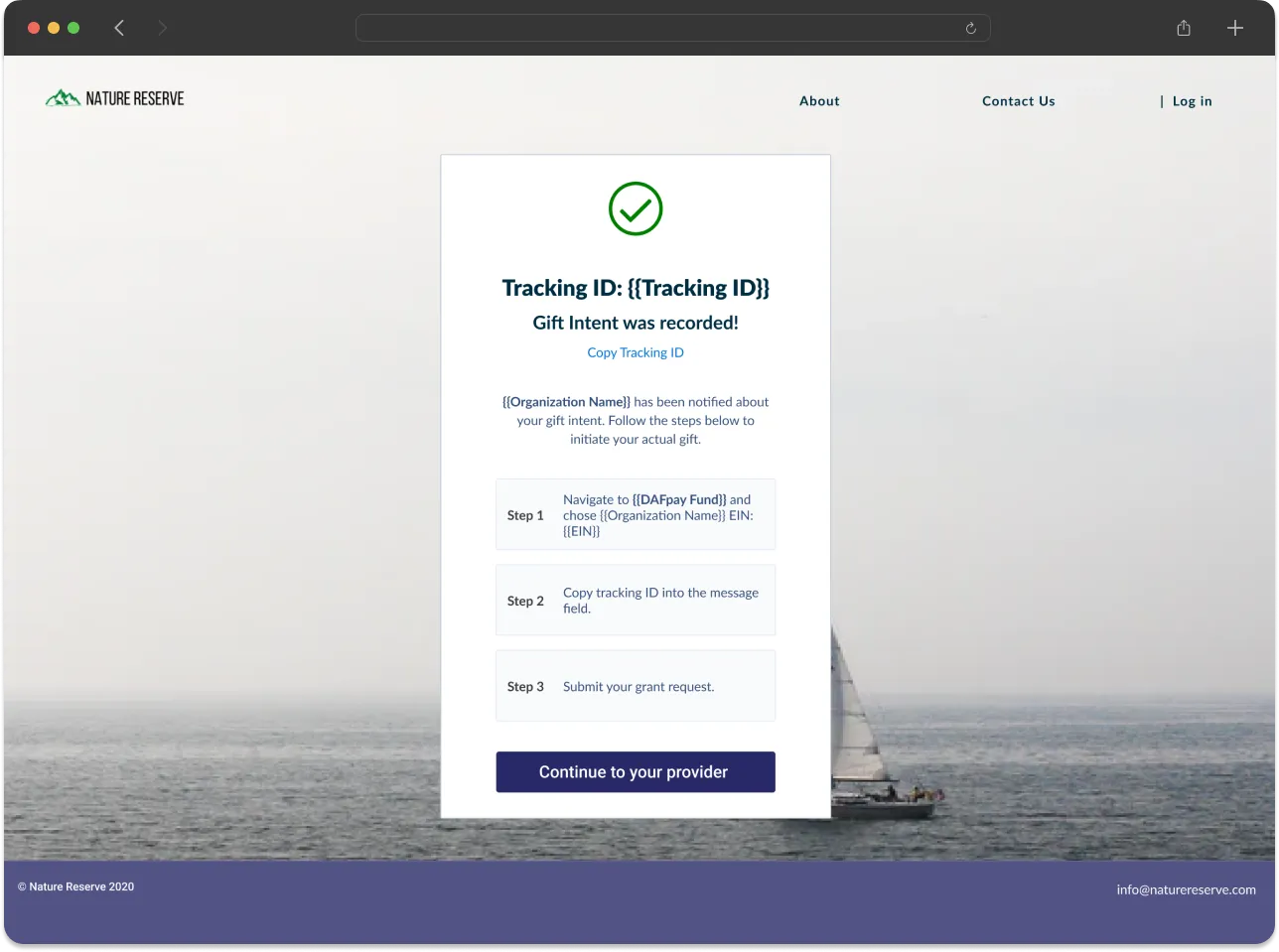
Listen for the CHARIOT_EXIT with the reason UNINTEGRATED_GRANT_CONFIRMED and show instructions to complete the Grant through their provider portal:
- the nonprofit’s name and EIN, from
detail.nonprofit - the intended amount
- the DAF provider link
- the tracking ID with the
Tracking ID:prefix and a copy control
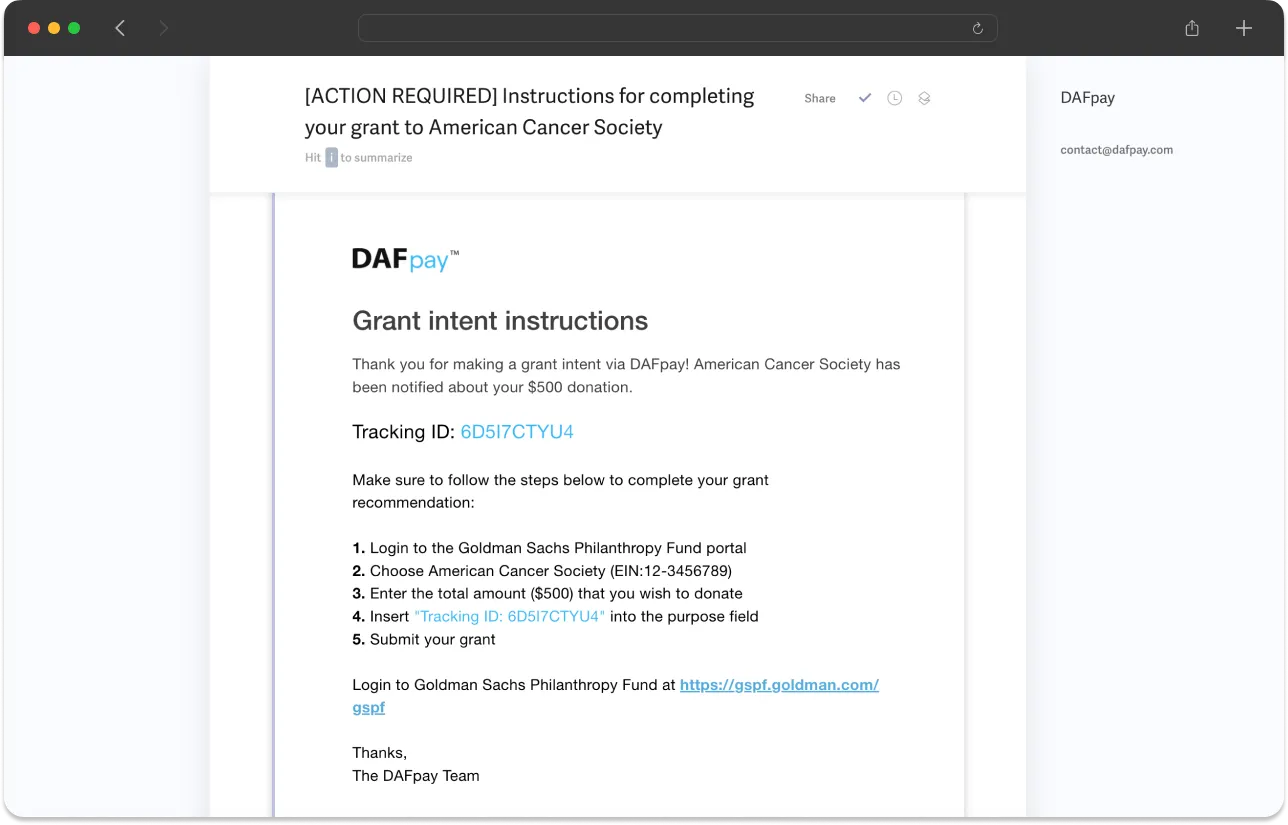
DAFpay also emails the donor these instructions.
Unintegrated Grant Statuses
Unintegrated Grants are created with status: Unknown, which means the donor received instructions, not that they submitted the recommendation in their provider’s portal. The status reaches Completed when the funds arrive, either in the nonprofit’s Chariot Deposit Account or marked received outside it, and Canceled if the gift is ruled out. unintegrated_grant.updated fires on every status change, and most Grants stay at Unknown.
Recurring Grants
A donor can set up a monthly recurring Grant from their donor advised fund. MONTHLY is the only supported frequency.
The Provider Runs the Schedule
Chariot records that the donor set the gift up monthly. The DAF provider issues each month’s Grant, and the donor changes or cancels it in their provider’s portal, so Chariot is not notified and does not create a Grant each month. Reconcile the later Donations individually.
Create the Recurring Grant
When the donor sets up a recurring gift, CHARIOT_SUCCESS carries a recurringGrantIntent in place of the grantIntent:
Call Create Recurring Grant rather than Create Grant. An application fee applies to the first Grant only.
Chariot is a financial technology company, not a bank. Chariot Accounts come with a Demand Deposit Account through our banking services partner, Column N.A., Member FDIC. Deposits in Chariot Accounts are eligible for FDIC insurance up to $250,000 per depositor, for each insurable capacity in which the account is held.